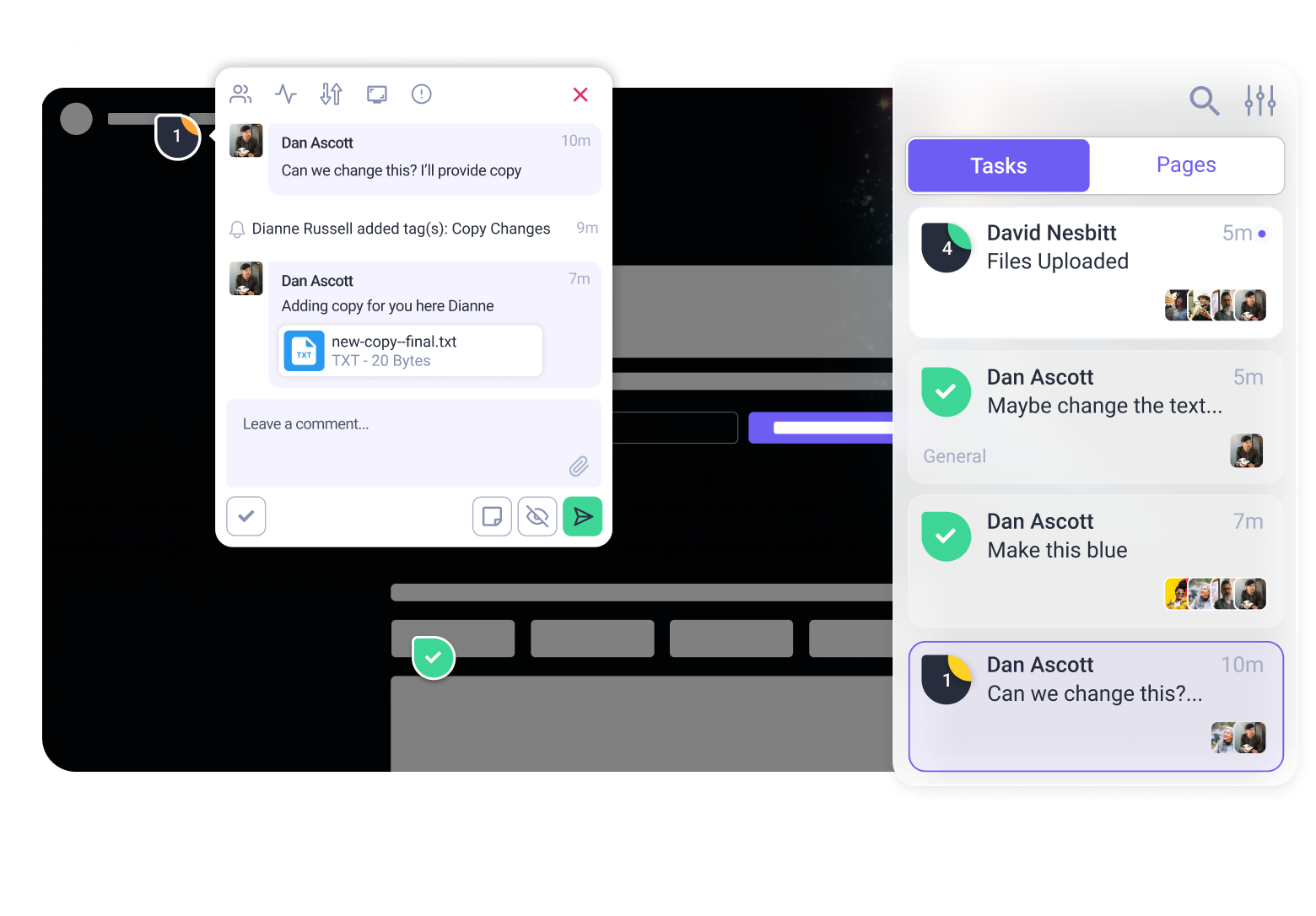


If you’ve been using Atarim for a while, the Chrome extension itself isn’t new. What is new is what it unlocks.
As Atarim has evolved (especially with the InnerCircle and AI-powered reviews) the way we connect to websites matters more than ever.
For most teams, that connection happens inside Chrome. And that’s exactly where this update makes a difference.
The Chrome Extension provides the best Atarim experience
Atarim embeds team collaboration and the your senior AI creative team (the InnerCircle) directly on any website you’re viewing.
That means:
- Leaving visual feedback on live pages
- Running AI-powered reviews in real context
- Creating tasks and comments without switching tools
But when Atarim is connected directly to your browser through the extension, it gets better context:
- More accurate on-site screenshots
- Cleaner access to page structure and behavior
- Fewer edge cases caused by rendering or blocking
In short: you’re working with the site as your browser sees it.
Weird quirks that only show up on your setup? Pages that are inside a web app, or behind login screens? With the Chrome extension, you can capture it all.
How do i install the Atarim Chrome Extension?
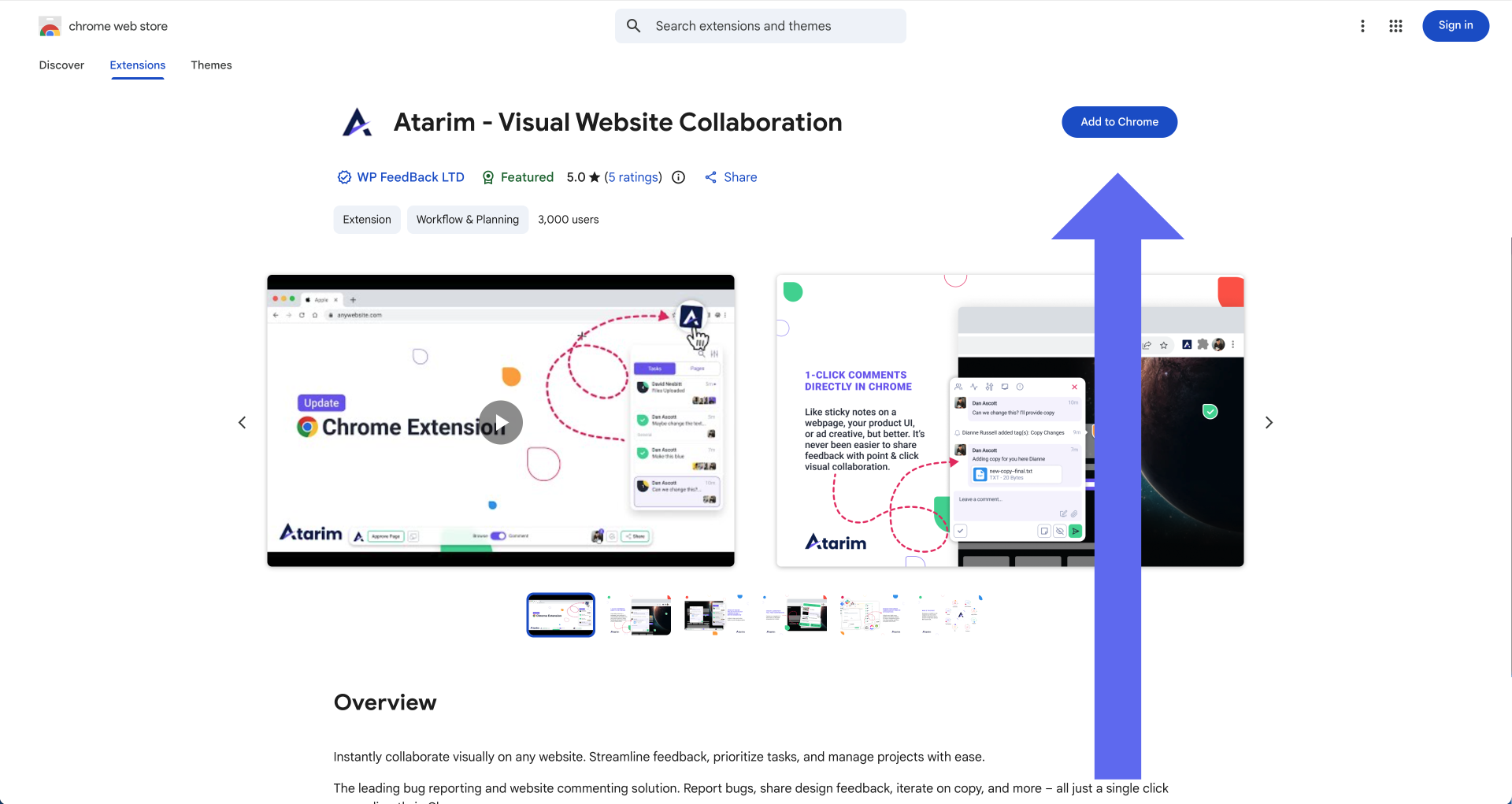
If you have Chrome installed, it couldn’t be easier! Visit the Chrome web store, search for Atarim and then click ‘Add to Chrome’.
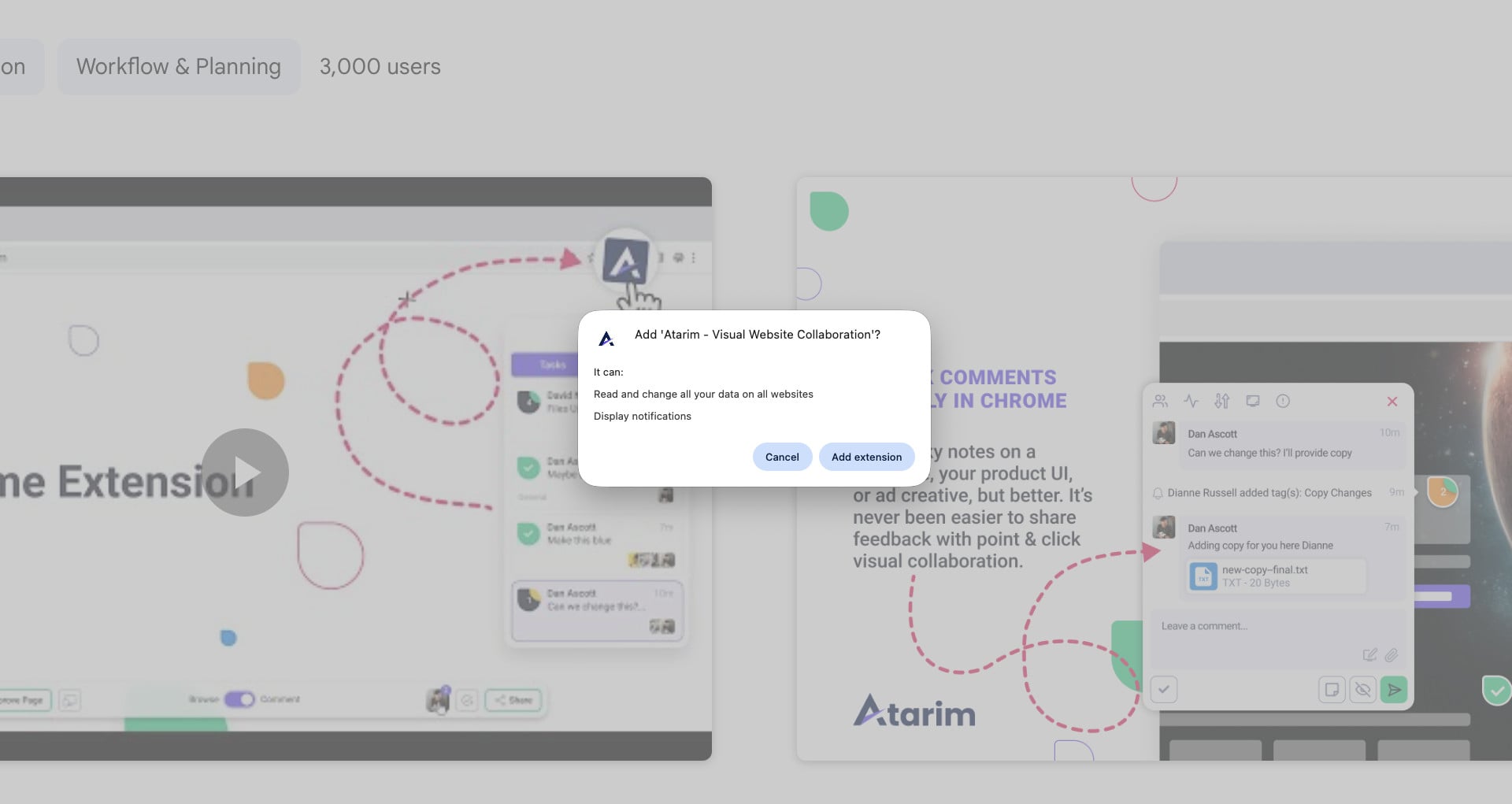
After installing the extension, you’ll be prompted to log in. Follow the instructions and then you’ll be ready to go!
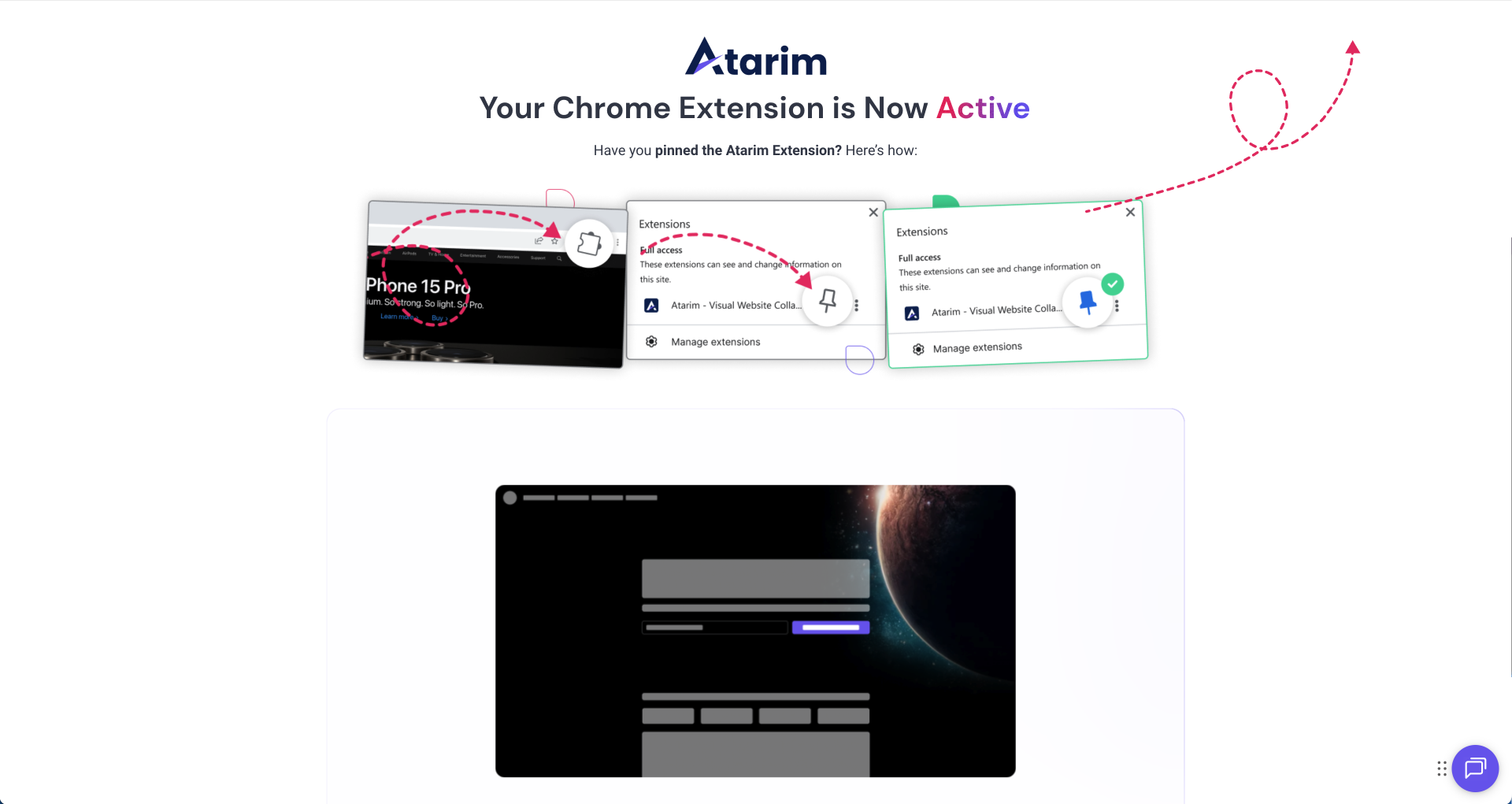
Finally, we encourage users to ‘pin’ the Atarim extension in Chrome to make it easy to run a review at any time.
How is this different from adding a site via URL?
The URL-based method still works and it’s not going away.
You can always paste a URL into Atarim and start collaborating that way (or add atarim.ai/ to the start of any URL).
This is especially useful when you might not have full control over your device (or website), or need feedback from stakeholders or guests who shouldn’t need to install anything.
That said, any URL-based collaboration method naturally comes with limits:
- Cookie banners can interfere
- Some scripts don’t load cleanly
- Complex or dynamic pages can behave inconsistently
The Chrome extension removes those limitations by connecting Atarim and the browser itself. Stability improves dramatically, and Atarim can “see” exactly what the browser sees.
That’s why we recommend it. It’s not required, but it’s vastly more powerful, stable and full-featured – simply due to the nature of how websites work.
Do clients or guests need to install the extension?
No, and that’s intentional. Clients and guests can still:
- Receive a collaboration link
- Leave feedback
- Interact with tasks and comments
…all without installing anything.
And with our website snippet and WordPress plugin, users without the extension can still get a fast, reliable and full-featured experience when leaving feedback – Atarim just requires installation on the website instead.
The Chrome extension is recommended for everybody, but it’s primarily for internal teams: designers, developers, PMs, marketers… Anyone regularly involved in building or reviewing work.
Does Atarim work on logged-in or protected pages?
Yes, and this is one of the biggest wins. With the Chrome extension, Atarim works on pretty much any page on the web.
Because the extension runs in your browser session, you can collaborate on:
- Logged-in dashboards
- Admin areas
- Membership sites
- Pages behind security blockers
This makes it ideal for reviewing apps, internal tools, and authenticated experiences that were previously hard to capture cleanly.
How does the extension compare to the WordPress plugin and the web snippet?
If you’re working with WordPress sites, the WordPress plugin offers a native experience that gives clients and colleagues a way to review any page without needing the extension.
And if you’re using any other CMS or platform, the Web Snippet natively embeds Atarim on the page in a similar way.
Once installed, Atarim (and the InnerCircle) runs natively on the site itself. That means:
- Feedback happens directly on the page
- A smoother experience for ongoing site work
Each requires permission / access to install on a website, but gives a great, native experience to users without needing them to install the Chrome Extension.
Many users (particularly those responsible designing, building and maintain websites) install the Chrome Extension and either the snippet or the WordPress plugin.
So when should I use the Chrome extension?
It’s not mandatory, but the Chrome extension is the fastest way to unlock everything Atarim can do inside the browser. Install it if:
- You want the most stable, context-rich experience
- You’re part of the internal delivery team
- You work in Chrome daily
Still not sure which version to use?
Using WordPress? Use the WordPress Plugin for the deepest integration.
On Shopify, Webflow, or a custom stack? The Web Snippet is your best friend.
Want the most powerful tool for your internal team? Grab the Chrome Extension to review any page instantly.
Make feedback fast and fun with the Atarim Chrome Extension
The Atarim Chrome Extension is the best way to experience the platform: it’s fastest, most stable way for you to manage projects and run AI-powered reviews on any site.
Add Atarim to Chrome — It’s Free
Pro-Tip: After you install, make sure to pin the Atarim icon to your browser bar. This allows you to trigger a feedback session or an AI review on any live site in exactly two clicks.