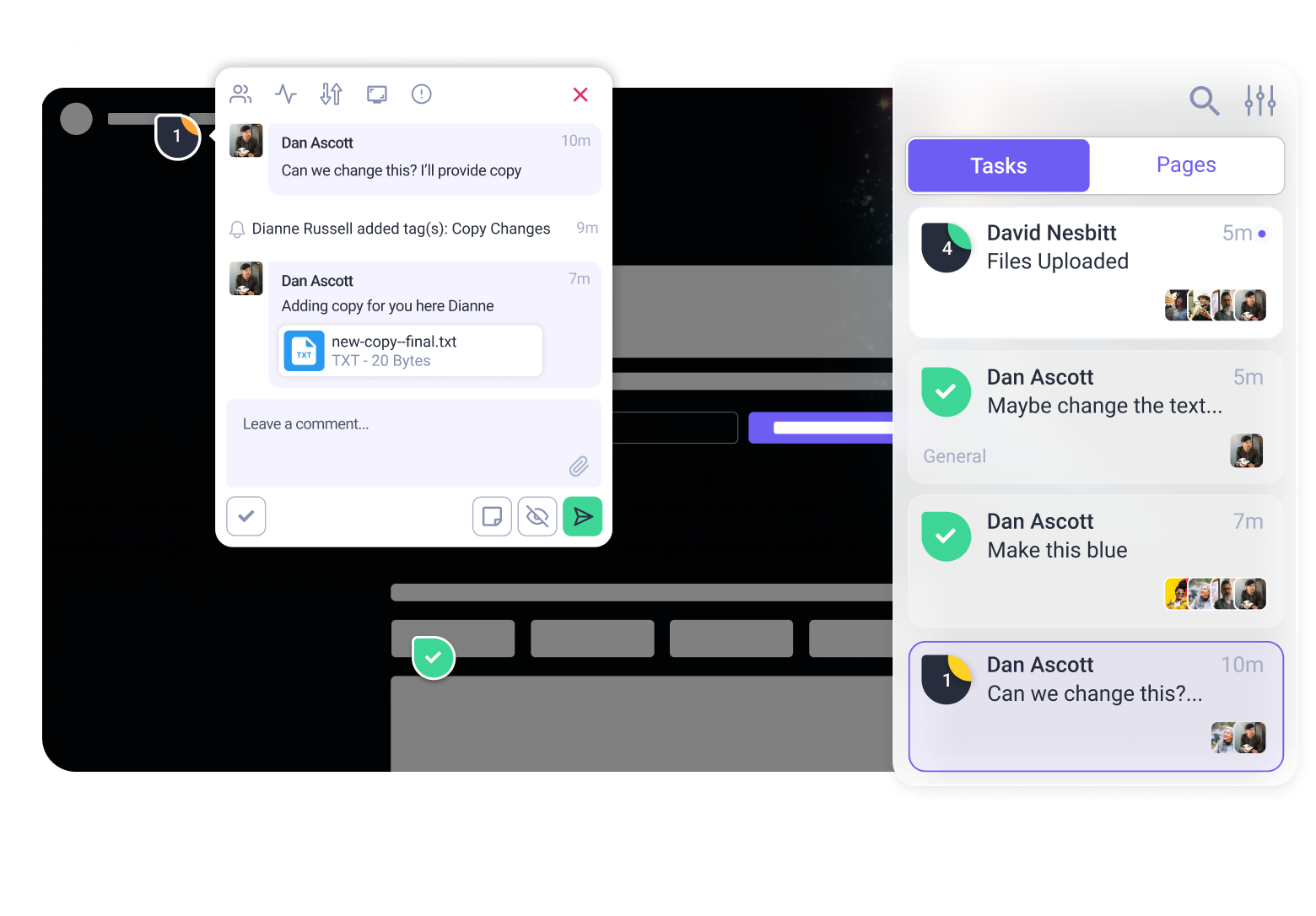

An upgraded version of our Atarim Web Snippet – a lightweight script that lets Atarim (and the InnerCircle) run natively on any website – is now live.
So what does that actually mean for you? Let’s break it down.
Pro-Tip: Even if you have the web snippet installed, we still recommend the Chrome Extension to get the best experience.
Why should I install the web snippet?
In short, when the snippet runs directly on the site:
- Pages load more fully and consistently
- Feedback feels faster and more responsive
- Screenshots and annotations are more accurate
- The InnerCircle understands the page better, including the code behind it
This directly improves the quality of AI feedback from agents like Pixel, Lexi, Navi, Index, and Glitch.
More context = smarter suggestions, fewer false positives, and more useful insights.
How do i install the web snippet?
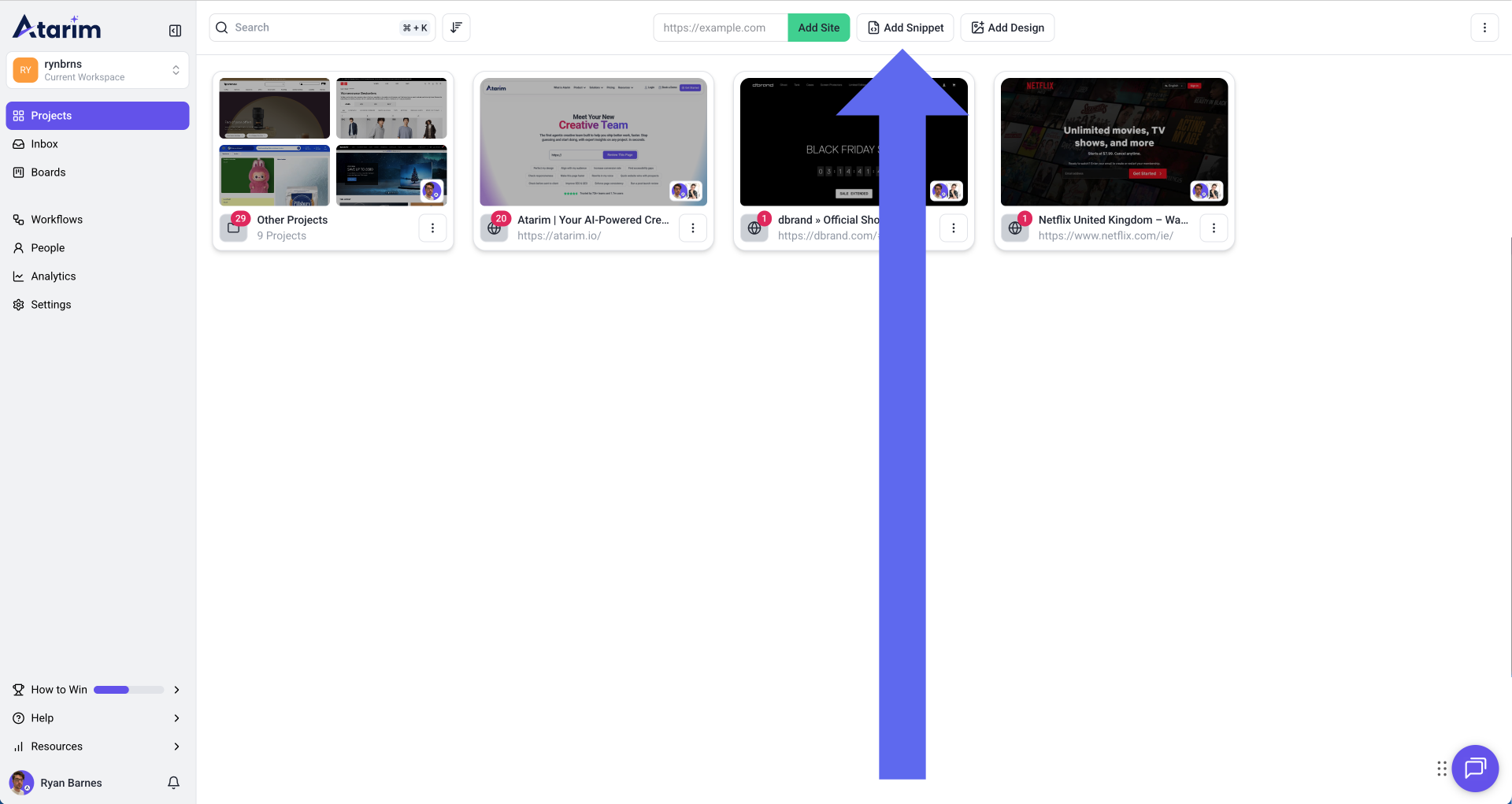
It should only take a minute or two for anybody with admin access to the website or pages you’re working on. Head to the projects screen on the Atarim dashboard.
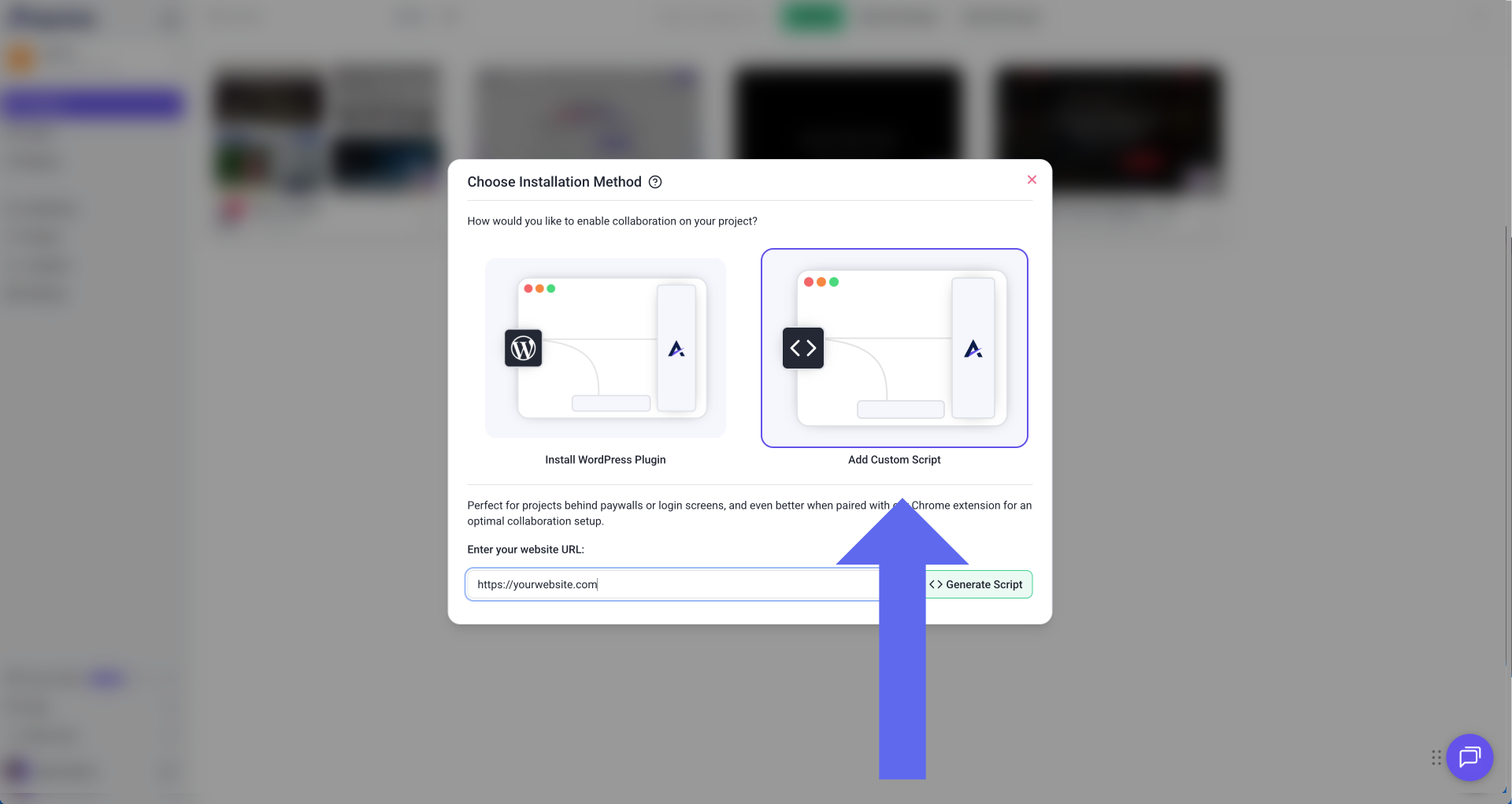
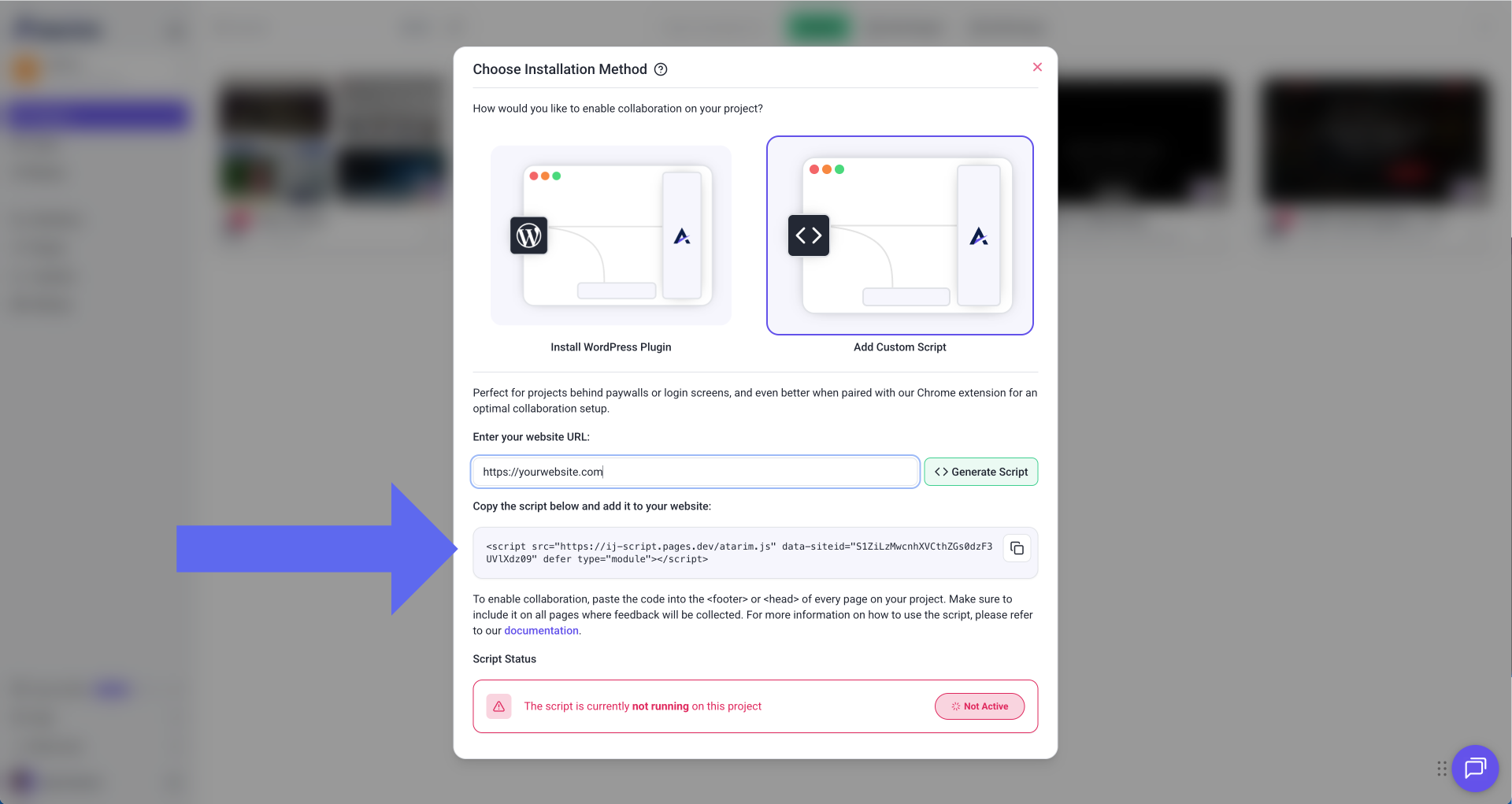
It’s that simple! We’ve included more on how to install the Atarim web snippet on our documentation.
Why did we build a web snippet in the first place?
Until now, the easiest way to use Atarim was through the platform: adding a URL in the app, and then sharing the project link with those you wanted feedback from. That approach worked almost everywhere and required zero setup, which made it incredibly accessible.
But it came with trade-offs.
URL-based collaboration can only see what’s publicly available. It struggles with:
- Pages behind logins
- Web apps and dashboards
- Dynamic or partially loaded content
And for AI-powered feedback, context matters. A lot. The new snippet changes that.
By running inside the website itself, Atarim gets a clearer, more reliable view of the page: including how it loads, behaves, and is structured. That means better performance, more stability, and deeper insight for the InnerCircle.
How does this compare to the Chrome extension?
It’s very easy to install the Chrome extension too, and we strongly recommend it for the best experience.
The extension lets Atarim connect directly in your browser, which means:
- Atarim and the InnerCircle can see the page exactly how your browser renders is
- Screenshots are more reliable, and precisely match your viewport
- Feedback flows feel even more seamless
For internal teams and power users, installing the snippet on the website and the extension in your browser is the optimal way to use Atarim.
But let’s be real: asking every client or stakeholder to install a Chrome extension isn’t always practical, especially for people using Safari or other browsers.
That’s where the snippet shines.
With the snippet in place, anyone can leave feedback without installing anything extra and still get a great experience.
What about WordPress users?
If you’re on WordPress, we recommend sticking with the Atarim WordPress plugin.
Atarim actually started life as a WordPress plugin (back when it was WP Feedback), and the plugin gives you full feature parity with the snippet (plus deeper native integration).
- WordPress site? Use the plugin.
- Any other platform or custom build? Use the snippet.
If you have the plugin installed, you won’t need to install the web snippet.
Does Atarim work on private pages and web apps?
Yes! and this is one of the biggest wins. If a page can load in a browser, Atarim can run on it.
That means:
- Logged-in areas
- SaaS dashboards
- Internal tools
- Staging environments
- In-progress products
For SaaS builders, product teams, and anyone working beyond public-facing pages, this unlocks a whole new level of collaboration.
How easy is it to start a feedback session?
Very easy.
Once the snippet is installed, you can kick off a feedback session by simply adding a ?collab=true to the page you want reviewed. No dashboards, no setup friction: just share the URL and start collecting feedback.
That makes reviews faster, smoother, and more reliable for clients and colleagues.
Still not sure which version to use?
Using WordPress? Use the WordPress Plugin for the deepest integration.
On Shopify, Webflow, or a custom stack? The Web Snippet is your best friend.
Want the most powerful tool for your internal team? Grab the Chrome Extension to review any page instantly.
The bigger picture
The web snippet is about removing friction for humans and AI. Better context leads to better feedback. Better feedback leads to faster decisions.
And faster decisions mean better work shipped with fewer meetings, fewer screenshots, and fewer “can you explain what you meant?” messages.
To get started with Atarim today, simply add a page to review and start collecting clearer, faster, AI-powered feedback.