Activity Tracking and Reporting in Atarim
See who did what and when — across a single task, or across everything one person has touched in your workspace.
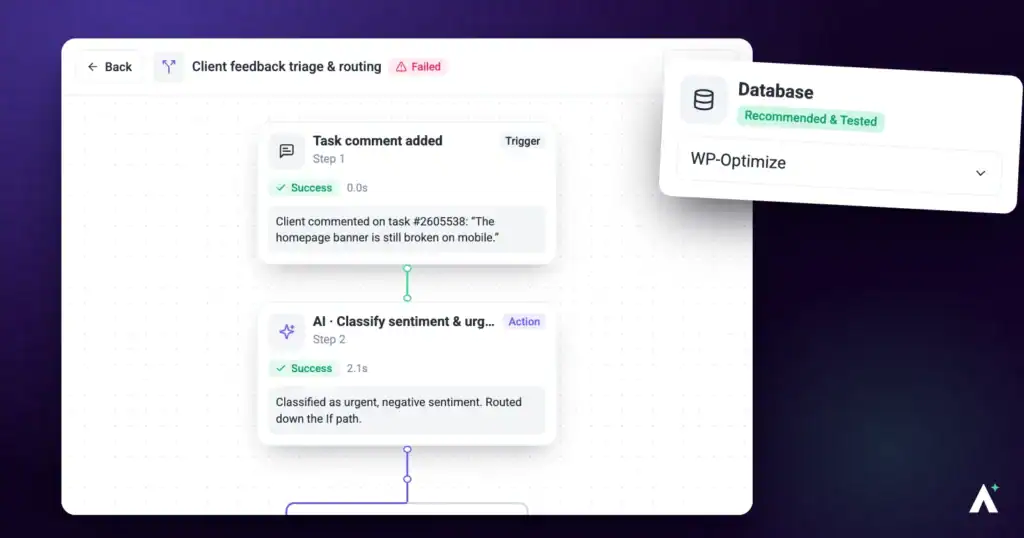
Atarim records activity as it happens. Every comment, status change, priority change, upload, and approval is written to a log tied to the person who did it and the workspace it happened in.
That record answers the questions that come up when something goes wrong — when was this actually marked done, who changed the priority, did the client ever reply. This article covers where to find it, what it captures, and what it does not.
Who this is for
The Activity Feed lives on the People screen, which is administrator-only. If your role in the current workspace is not Owner or Administrator, People will not appear in your sidebar at all. It is also a paid feature — on plans that do not include activity logs, the tab shows an upgrade panel instead of the feed.
Where activity appears
| Surface | Where it lives | Best for answering |
|---|---|---|
| Task activity thread | Inside each task, beneath the comments | “What happened to this task, and in what order?” |
| Activity Feed | The People screen, on the Activity Feed tab | “What has this person been doing across the workspace?” |
Task activity threads
Every task keeps its own chronological record. Open a task and scroll past the comments to see entries such as a status moving from Open to In Progress, a priority changing from Low to High, a tag being added, a file being uploaded, or the task being renamed. Each entry names the person responsible and carries a timestamp.
This is the fastest way to answer a client question like “when was this marked done, and by whom” without leaving the task.
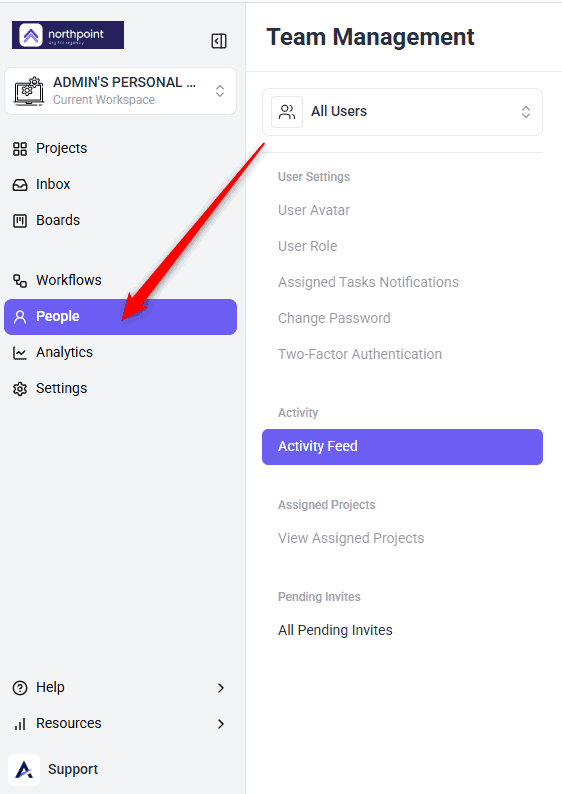
The Activity Feed
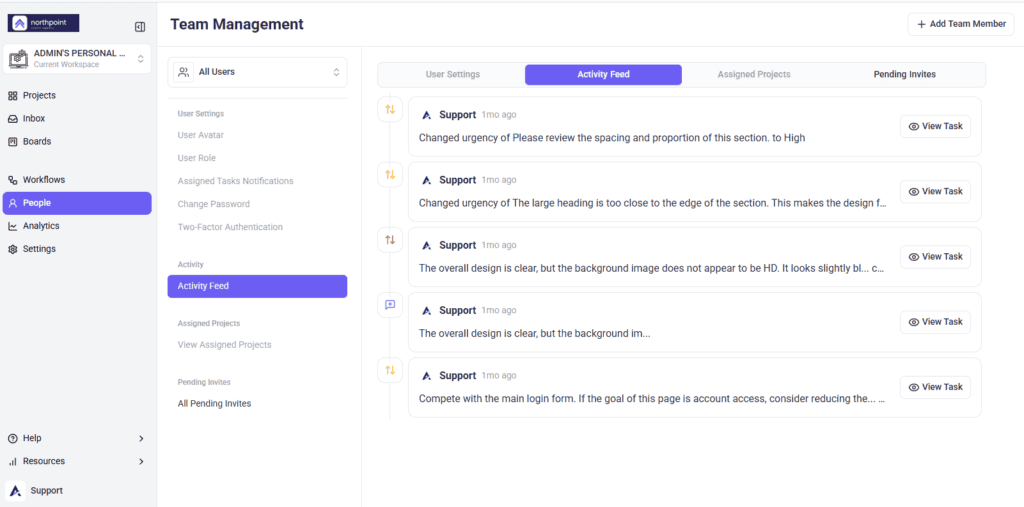
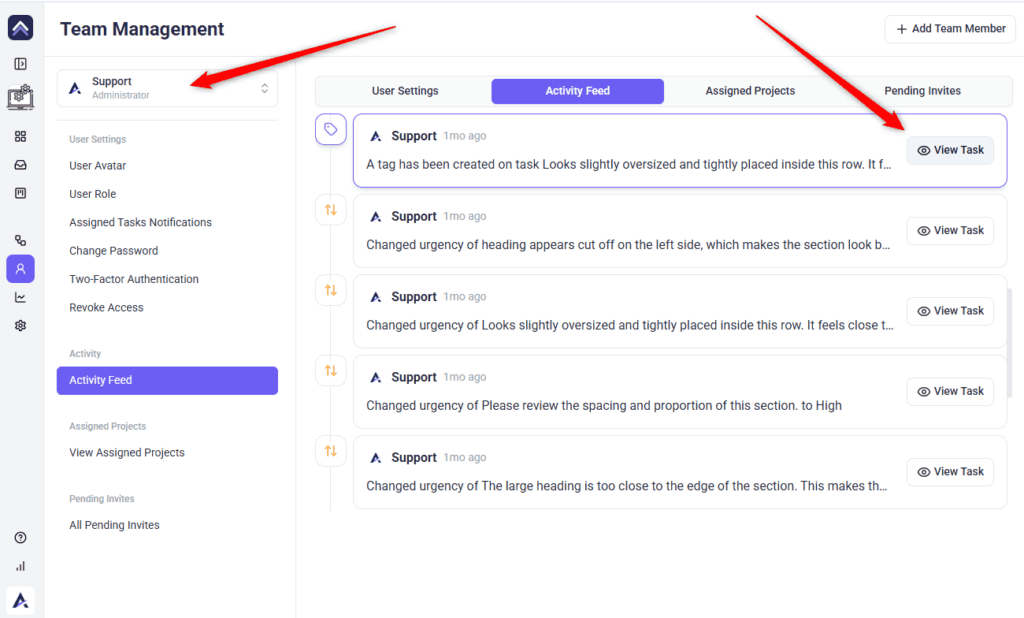
The Activity Feed answers the per-person question. It is not a workspace-wide stream — you choose a person first, and the feed shows their history.
Instructions:
Each entry shows the person’s avatar and name, a description of what they did, and a relative timestamp such as 3 hours ago. Date groups can be collapsed to skim longer histories quickly.
What gets recorded
These are the events Atarim writes to the activity log:
| Category | Recorded events |
|---|---|
| Tasks | Task created, general task created, task renamed, task deleted, screenshot changed, task recentred on the page, task marked internal |
| Task changes | Status changed, urgency or priority changed, tags changed |
| Collaboration | New comment added, file uploaded, page approved |
| Notifications | Changes to who is notified on a task, for both site users and dashboard users |
| People | New user invited, new user registered |
| Milestones | Milestone created, updated, deleted, completed, or expired |
How activity relates to notifications
The activity log is also what drives your notifications. Each entry carries a read or unread state, and the unread count you see in the dashboard is drawn from the same records.
That is why the two lists never match exactly. Only a subset of logged events is eligible to notify you: a new comment, a status change, a new task, a new general task, and an uploaded file. Everything else — priority changes, tag changes, renames, milestone updates — is recorded in the log but will not generate a notification.
Turning activity into reporting
The activity log answers questions about specific people and specific tasks. For the wider picture — how long work takes on average, where feedback is stalling, how tasks are distributed across your team — Atarim aggregates the same underlying activity into metrics on the Analytics screen.
Analytics is a separate item in the left navigation, with Overview, Projects, and Team tabs covering workspace-wide statistics, per-project breakdowns, and per-person workload. Explore Analytics & Metrics
FAQs
Can I see everything my whole team did today in one list?
Not in a single view. The Activity Feed is reviewed one person at a time. For a workspace-level picture, use Analytics instead.
Can clients and collaborators see the activity log?
They can see the activity thread on tasks they have access to, but not the Activity Feed on People — that is administrator-only.
Does activity tracking work across all my workspaces?
No. Everything is scoped to the workspace you are currently in.
Can I delete or edit an activity entry?
No. The log is not editable from the dashboard.
Can I export the activity log?
Not from the dashboard. There is no export control on the feed at present.
Why does a change appear in the log but nobody was notified?
Only a subset of events triggers notifications — new comments, status changes, new tasks, and file uploads. Priority changes, tag changes, and renames are recorded but do not notify anyone.
Can I see how far back the activity history goes?
Activity is shown from a fixed start date onward rather than for the entire life of the account, so older workspaces will not see their earliest activity.
Is deleting a task recorded?
Yes. Task deletion is one of the logged events, so a removed task still leaves a trace of who removed it.
Why does the feed show nothing for someone I know has been working?
Check whether their work is in a different workspace, and whether they ever completed registration — invited-but-unregistered accounts have no activity to show.
Conclusion
Activity tracking works best when you match the surface to the question. Task threads settle "what happened here", and the Activity Feed settles "what has this person been doing". Neither replaces a conversation with your team — but they do mean you start that conversation with the facts rather than with recollections.
Tips & best practices
- Reach for the task thread first. Most questions are about one task, and the answer is right there without opening People.
- Use the Activity Feed for specific questions rather than routine monitoring. It is a record for settling things, not a surveillance tool.
- Check the workspace before concluding someone has done nothing — work in another workspace will not appear.
- Collapse the date groups when reviewing a long history. It is far quicker to find the right day and expand just that one.
- Because the log cannot be exported, screenshot anything you may need for a client dispute at the time you find it.
- For anything a client did — a reply, an approval, a comment — go to the task thread rather than the Activity Feed. That is where collaborator actions are reliably recorded.
- Remember the log records the action, not the reasoning. Use it to establish what happened, then ask the person why.